November 2023 – March 2026

Designing Conversational Workflows for Student Support

Student support at Sheridan College was fragmented across multiple websites, departments, and communication channels, making it difficult for students to find answers and creating inconsistencies in support responses. Starting in Comm100 and later expanding into ServiceNow, this project focused on bringing multiple departments into one system that unified knowledge, workflows, and support pathways.

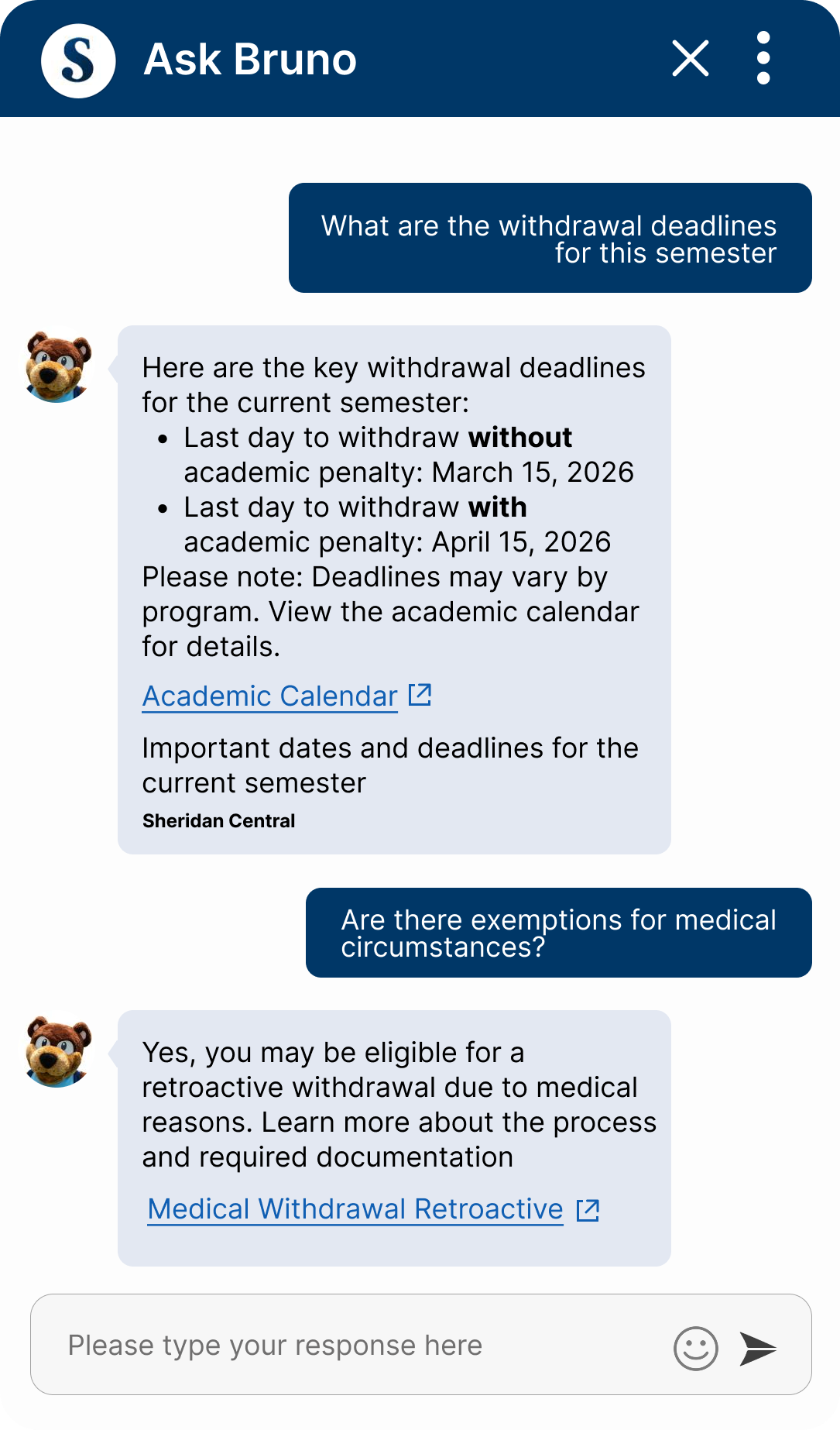
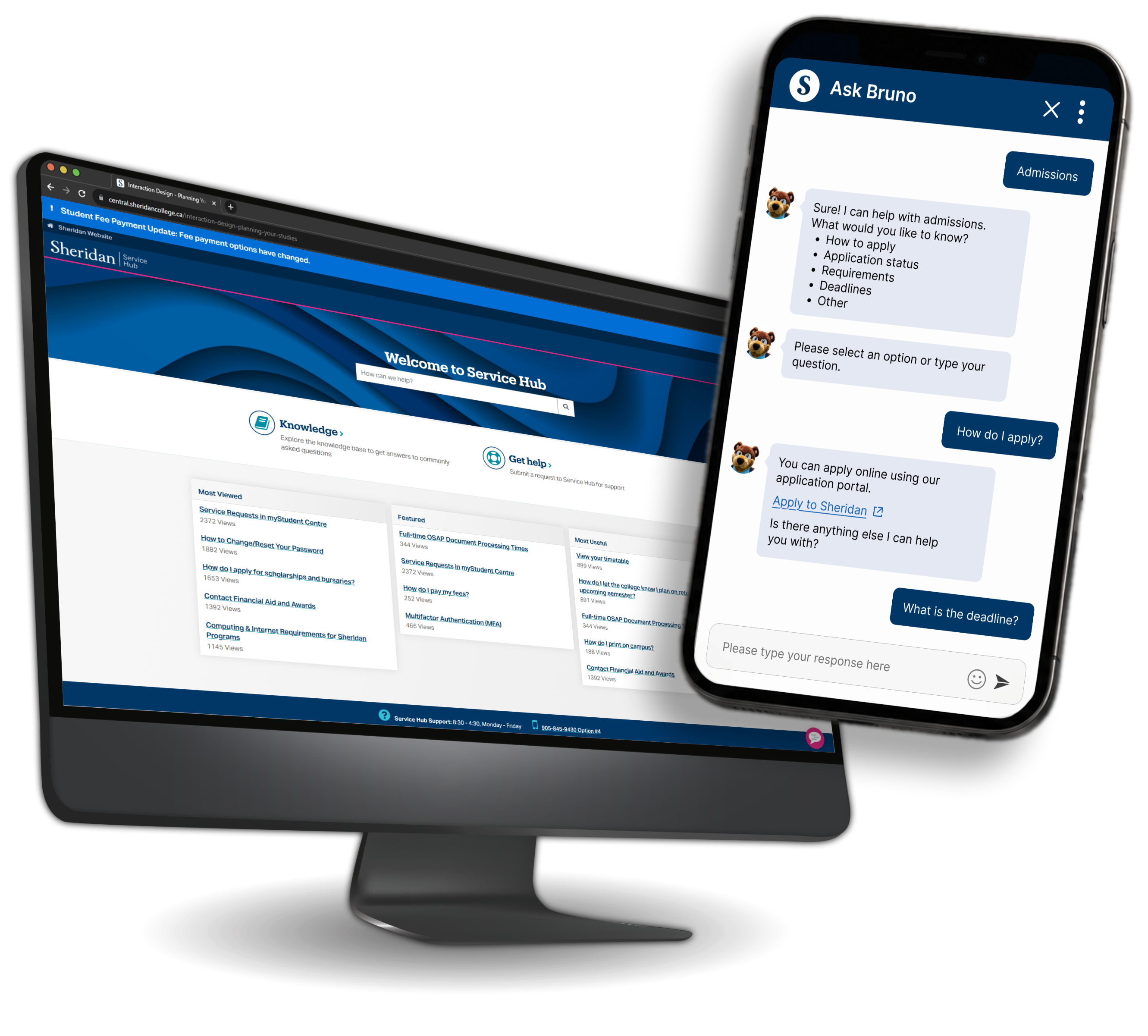
Chatbot interface mockup

Role

Platform Solution Lead

Platforms

  • Comm100
  • ServiceNow

Focus Area

  • Conversational UX
  • Guided Flows


  • Knowledge Architecture
  • Student Self-Service


  • Generative Support
  • LLM Support

The Challenge

Bar chart with upward arrow and group of people, representing growing support demands

Growing Support Demands

Student Service teams were overwhelmed by increasing inquiry volumes while continuing to rely heavily on traditional email and phone support. At the same time, staffing resources were reduced due to external pressures such as budget constraints and declining international student enrollment.

Envelope with multiple overlapping sources, representing fragmented support channels

Fragmented Student Support

Support requests were often routed inconsistently, with duplicate emails sent to multiple departments and large CC chains creating repetitive work. This increased wait times, reduced response efficiency, and made it difficult for students to navigate an ecosystem that did not align with their understanding of the institution.

Multiple disconnected information nodes, representing complex and fragmented information sources

Information Complexity

Institutional language and department-specific terminology made information difficult for students to interpret. Resources were fragmented across systems, creating no clear source of truth and increasing dependency on frontline staff for clarification.

Person surrounded by multiple pathways, representing navigation friction for students

Navigation & Student Friction

Students struggled to navigate institutional systems built around internal departments rather than student needs. Unfamiliar terminology, unclear ownership between teams, and disconnected support channels made finding the right information difficult, increasing confusion, repeated inquiries, and frustration.

Constraints and Context

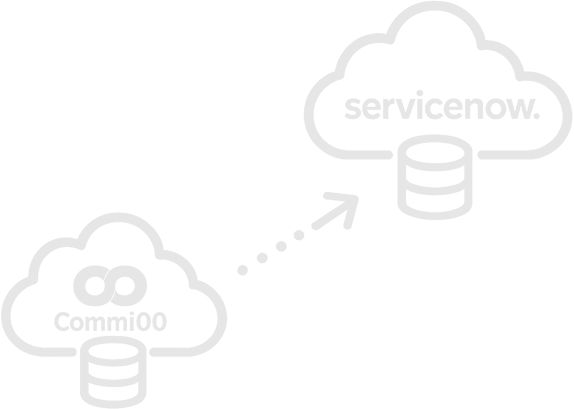
Illustration representing the platform transition from Comm100 to ServiceNow

Platform Transition

Comm100 → ServiceNow

Platform Transition

Comm100 → ServiceNow

The chatbot experience began in Comm100, helping Student Services move away from traditional email and phone support. However, ticketing remained disconnected from IT systems. Transitioning to ServiceNow created opportunities for stronger integration while requiring workflows to evolve alongside platform migration.

Arrows converging to a centre point, representing early AI technical constraints

Technical Constraints

Early AI Limitations

Technical Constraints

Early AI Limitations

Generative responses were dependent on curated knowledge base content and platform capabilities available at the time. Early ServiceNow functionality relied on AI-assisted search to surface relevant knowledge articles, with fully contextual generative responses introduced as platform capabilities matured.

People alongside gears, representing operational context and balancing immediate needs

Operational Context

Balancing Immediate Needs

Operational Context

Balancing Immediate Needs

Growing inquiry volumes, staffing pressures, and changing institutional priorities required balancing immediate support improvements with longer-term conversational strategy. Solutions needed to reduce frontline strain while remaining flexible enough to adapt to evolving student and business needs.

Design Method

Research Input

Student Interviews

Understood needs, pain points, and expectations for support.

Chat Logs

Reviewed chat data to identify patterns, common questions, and drop-offs.

Competitive Review

Studied peer institutions to benchmark features and identify gaps.

Best Practices

Researched conversational UX patterns and chatbot guidelines in higher ed.

Synthesis

Magnifying glass with chart, representing research insights synthesis

Research Insights

Synthesized insights around student needs, behaviors, and expectations.

Design Responses

Guided Flows

Created guided paths to help students find answers faster.

Generative Support

Integrated content and AI responses to provide relevant answers within the chat.

Human-in-the-Loop

Enabled easy escalation to live agents when students need personalized support.

Content Strategy

Prioritized high-impact topics for clearer answers.

Insights

Clearer Paths to Answers

Insight

Students often struggled to identify where to go for help and preferred guided support that reflected how they naturally searched for information.

Design Response

Created guided conversation flows and suggested questions to reduce ambiguity and help students find relevant answers faster.

Answers Without Leaving the Chat

Insight

Students often left the chat to search across multiple websites when answers felt incomplete or difficult to find.

Design Response

Integrated trusted knowledge and generative support directly into the experience to reduce unnecessary navigation and keep students in one support flow.

Human Support for Complex Situations

Insight

Some support needs involved exceptions, account-specific issues, or situations that required reassurance from staff.

Design Response

Designed clear escalation pathways to help students transition to human support when automation was no longer enough.

Faster and Lower-Effort Entry

Insight

Students wanted faster ways to access support without navigating institutional language or complex systems.

Design Response

Used guided topic selection and simplified entry points to reduce effort and help students reach answers faster.

Consistent Chatbot Experience

Insight

Support experiences varied across departments, creating inconsistent expectations and responses for students.

Design Response

Created shared conversational patterns, guided flows, and content structures to support a more consistent experience.

Faster Answers to Repetitive Questions

Insight

High-frequency questions repeatedly reached frontline teams, increasing response volume and slowing support.

Design Response

Prioritized guided flows and knowledge-driven responses for common topics to reduce repetitive inquiries and surface answers faster.

Conversation Design Principles

Guided Flow Design

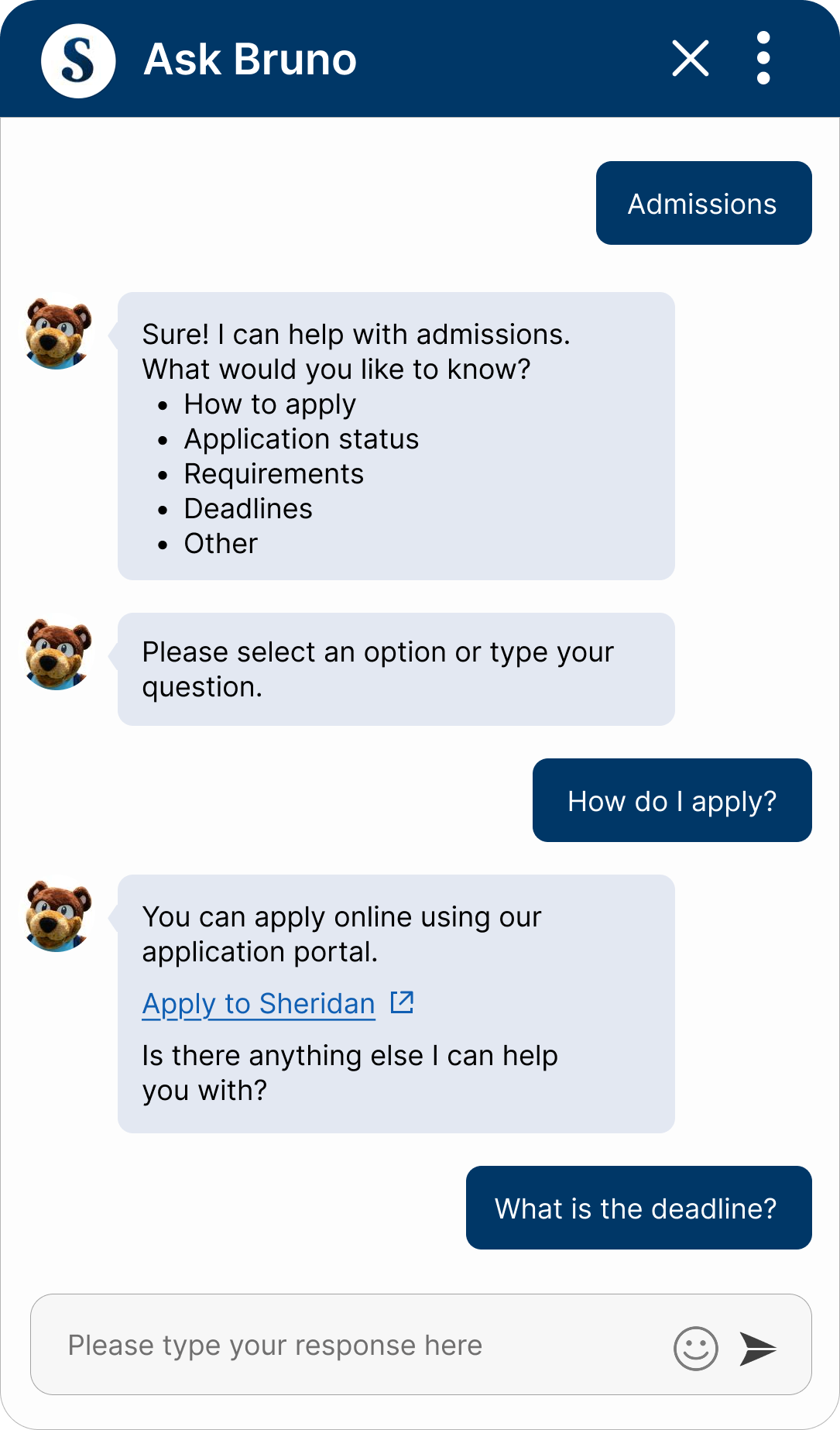
Guided flows supported common or complex topics that required structured language, clear next steps, and predictable pathways.

Greeting Menu

Personalized greeting based on student status, account access, or guest entry.

Topic Selection

Students select a topic and guided prompts clarify the support they need.

Guided Options

Suggested questions and branching paths guide students toward relevant support.

Deliver Support

Relevant answers are surfaced through curated content, guided support, or knowledge articles.

Solution Provided

Student receives the answer, resource, or next step.

Escalation Required

Issue escalates to front-line staff when additional support is needed.

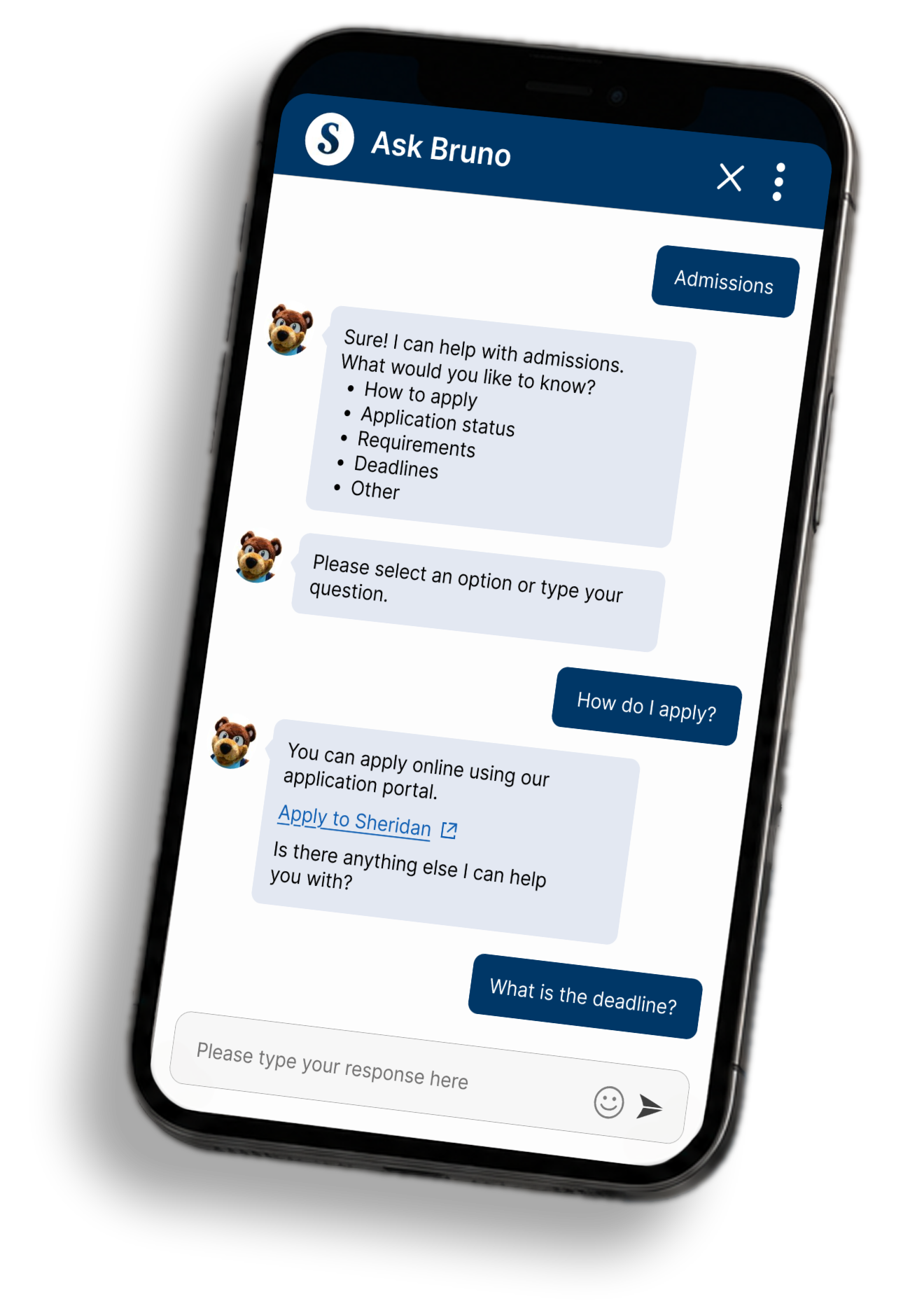
Guided path example in chat

Guided path example in chat

Why This Approach?

Keeps conversations focused and efficient
Reduces user effort and confusion
Improves task completion
Ensures seamless escalation when needed

Generative Flow Design

Generative Support

Generative support handled questions without predefined paths, allowing students to ask naturally while AI surfaced trusted answers from existing knowledge sources.

Generative flow example in chat

Generative flow example in chat

Open-ended Question

Students ask questions naturally using their own words.

AI Understands Intent

AI interprets intent to identify the student's support need.

Search Trusted Sources and Generate Response

AI searches trusted sources e.g. web pages, knowledge articles and other relevant information.

Deliver Generative Support

AI provides contextual answers with links to trusted resources.

Solution Provided

Student receives the answer, resource, or next step.

Escalation Required

Issue escalates to front-line staff when additional support is needed.

Why This Approach?

Handles complex and unique questions
Provides accurate, context-aware answers
Connects students to trusted resources
Ensures seamless escalation when needed

Outcomes

Signpost icon representing clearer paths to student support

Clearer Paths to Student Support

Structured prompts and guided pathways helped students navigate common support topics more confidently, reducing friction in high-volume and procedural requests.

Document with checkmark, representing improved access to trusted information

Improved Access to Trusted Information

Knowledge-driven responses prioritized institutional content, helping students find more reliable answers without needing to navigate multiple systems or webpages.

Person and chat bubble icon representing blended human and AI support experiences

Support Through Guided & Generative Experiences

A dual-mode design gave students the right type of support for each situation — structured flows for common requests and generative responses for open-ended questions.

Expanding arrows icon representing more scalable support experiences

More Scalable Support Experiences

The conversational model created a more sustainable approach to student support by balancing self-service, contextual guidance, and escalation when human assistance was needed.

Reflections

Designing Within Existing Systems

This project reinforced the importance of designing within constraints. Rather than replacing existing systems, the focus was on improving how students moved through them. Working within Comm100 and ServiceNow required thoughtful content structure, clear escalation paths, and support experiences that felt connected and scalable.

Keeping a Human in the Loop

One key takeaway from this project was that AI should support people, not replace them. While conversational tools can help students find answers faster, some situations still require human support. An important part of the design was creating clear and natural pathways to staff when automation was no longer enough.

Looking Ahead

If this project continued, I would focus on creating more personalized support experiences based on student needs and context. I would also explore testing and analytics to better understand friction points, refine guided pathways, and strengthen how conversational and structured support work together.

Chatbot on desktop and mobile