May 2021 – August 2021

Creating Court Presence for Remote Law Students

Open University needed a better way for law students to practice moot trials remotely. Traditional video conferencing lacked the structure, presence, and social cues of a real courtroom.

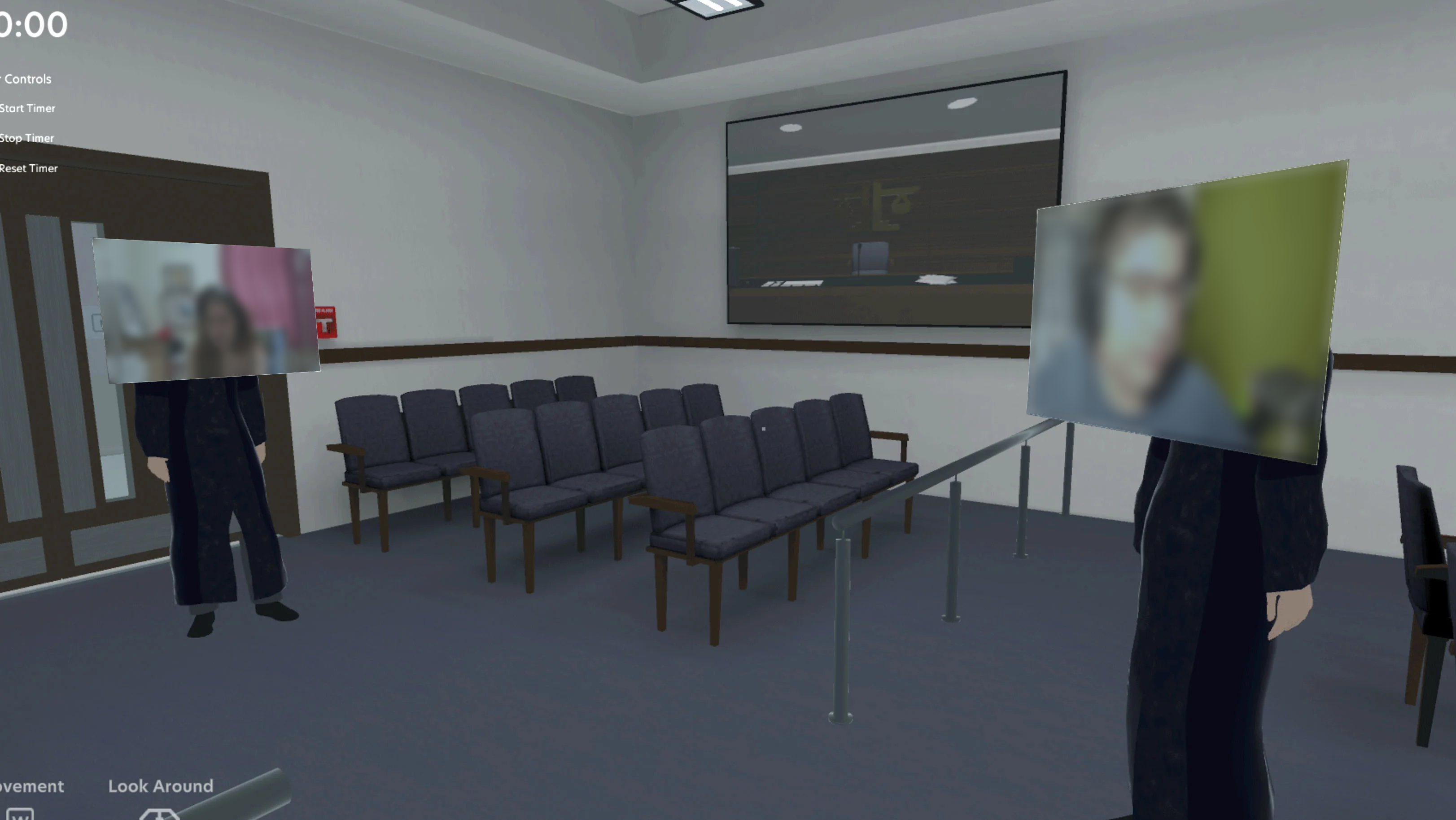
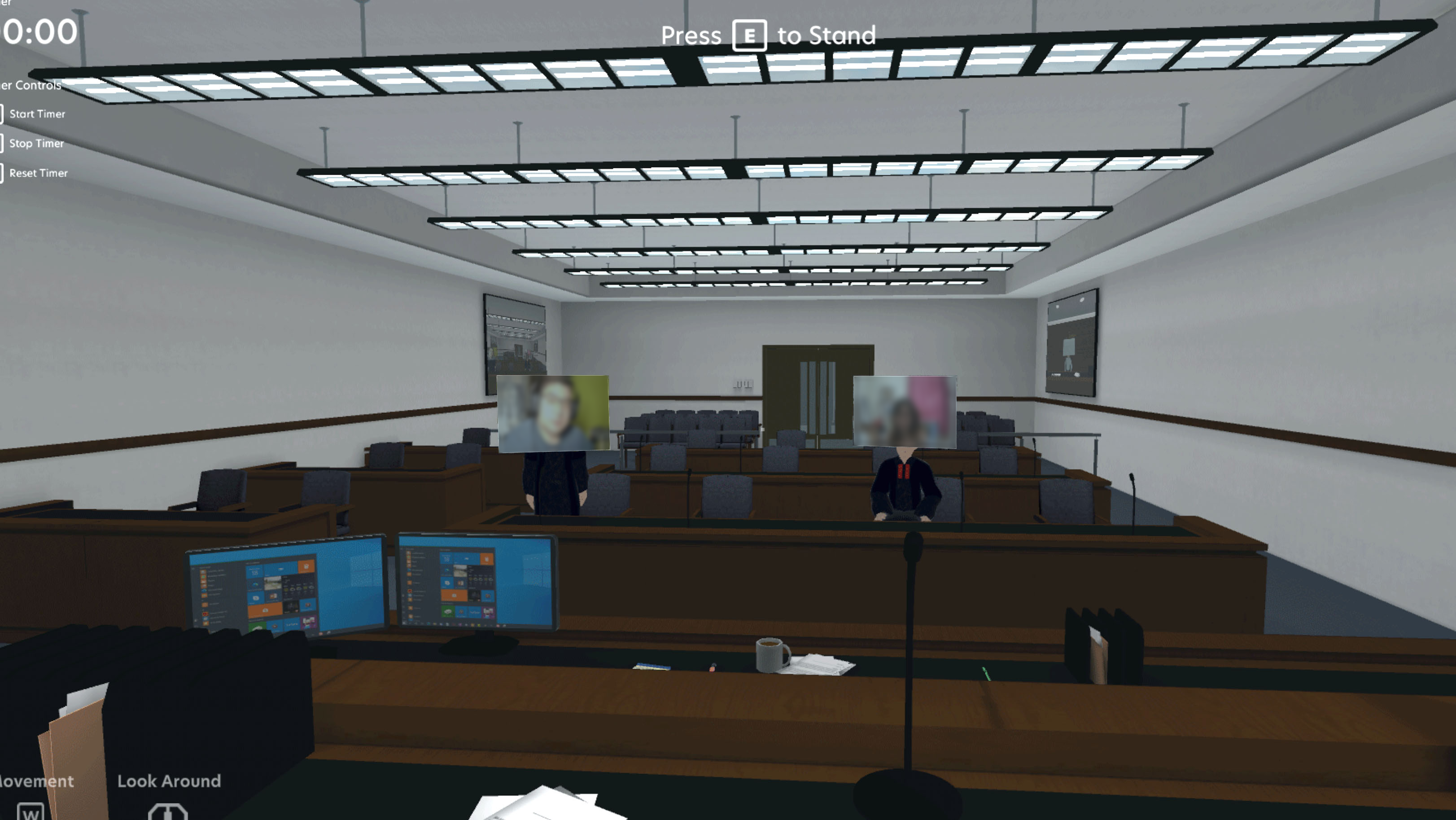
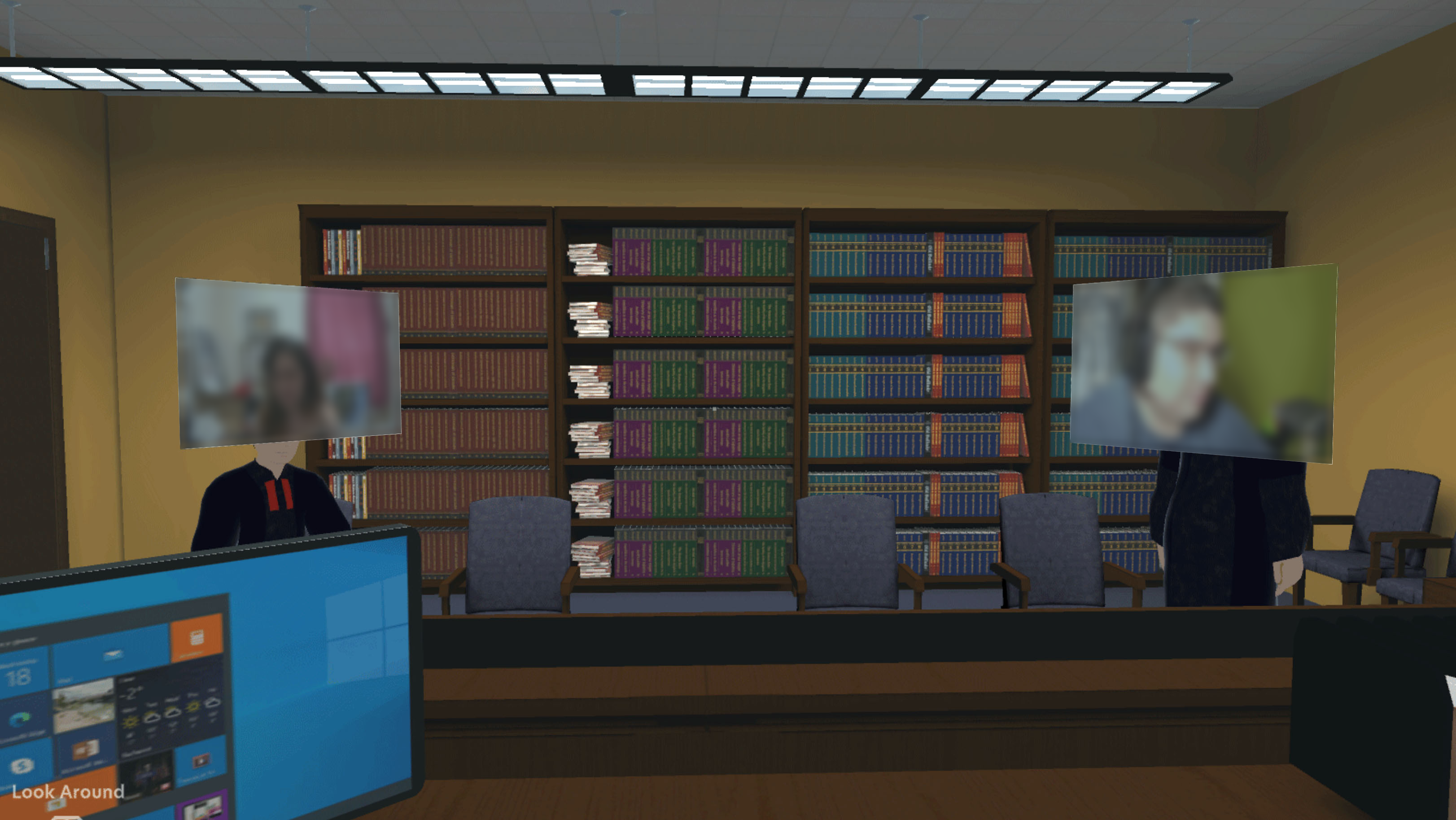
Working within an international team, I contributed to the research, UX design, and prototyping of a 3D virtual courtroom experience designed to improve immersion and participation.

3D virtual courtroom displayed on a desktop monitor

Role

  • UX Researcher
  • Unity Developer

Platforms

  • Figma
  • Unity
  • Blender
  • Agora

Focus Area

  • User Research
  • Navigation


  • Prototyping
  • User Testing


  • Spatial Experience Design

The Challenge

Courthouse building icon representing missing courtroom presence

Missing Courtroom Presence

During COVID, law students at Open University needed to continue moot court exercises remotely. However, traditional video conferencing lacked many of the environmental cues, structure, and formality that shape behaviour and participation in a real courtroom setting.
Person with absence markers representing limited social awareness in remote environments

Limited Social Awareness

Courtroom interactions rely heavily on non-verbal communication, including attention, eye contact, and social presence. In remote environments, students had limited visibility into participant engagement, making it harder to replicate realistic courtroom dynamics.
Document nodes icon representing complex legal dynamics and structured courtroom procedures

Complex Legal Dynamics

Moot trials involve structured roles, procedures, and etiquette that are difficult to recreate through standard video conferencing tools. The experience needed to support not only communication, but also the flow and expectations of a formal legal environment.

Designing the Experience

Phase 1 — Understanding Courtroom Behaviour

Magnifying glass icon representing courtroom observation research

Observations

What courtroom behaviours mattered?

Observations

What courtroom behaviours mattered?

Courtroom behaviour relied heavily on structure, formality, body language, and role-based interactions that shaped participation and professionalism.

People chatting icon representing student and faculty interviews

Interviews

What pain points emerged?

Interviews

What pain points emerged?

Students and faculty described challenges with remote learning, including reduced engagement, limited social cues, and the loss of courtroom atmosphere.

Person icon representing user testing sessions

User Testing

What changed because of testing?

User Testing

What changed because of testing?

Testing helped refine interactions, environmental design, and social cues to better support immersion and courtroom participation.

Phase 2 — Designing for Presence

Recreating Courtroom Formality

We explored how courtroom layouts, spatial hierarchy, and environmental cues could reinforce professionalism and encourage students to engage more seriously in proceedings.

Designing Transitional Spaces

Foyers and hallways were introduced to recreate the transition into a courtroom, giving students space to prepare, wait, and interact before proceedings began.

Supporting Immersion

Rather than recreating video conferencing in 3D, the focus was on building a believable environment that improved presence, concentration, and participation during moot trials.

Phase 3 — Supporting Courtroom Interaction

Eye Contact as a Directional Cue

In a courtroom, where you look matters. Directional indicators were explored to show which participant an avatar was facing or addressing — helping establish the attention hierarchy expected in formal legal proceedings.

Reading Non-Verbal Behaviour

Beyond eye contact, courtroom communication relies on subtle physical cues — a slight turn of the head, a shift in posture, or looking away mid-argument. These micro-behaviours carry meaning in legal settings and were important signals to surface within the virtual environment.

The Judge as a Critical Feedback Signal

For lawyers, the judge is one of the most important sources of real-time feedback during a moot. A judge leaning forward, losing focus, or looking away signals whether an argument is landing. The virtual environment needed to preserve these cues so students could learn to read the room and adapt their delivery mid-argument.

Outcomes

Checkmark icon representing positive student reception

Positive Student Reception

Students responded positively to the virtual courtroom experience, reporting that it felt more engaging and immersive than traditional video conferencing.

Computer screen icon representing accessible experience without VR hardware

Accessible Without VR Hardware

The experience ran directly on a standard computer, removing the need for expensive or bulky VR equipment while remaining easy to access remotely.

Code brackets icon representing low technical requirements

Low Technical Requirements

The environment was intentionally designed with lightweight graphics, helping ensure stable performance without requiring gaming hardware or high-speed internet.

Cube icon representing a functional prototype delivered for evaluation

Prototype Delivered for Evaluation

A functional prototype was developed and shared with Open University, helping validate the concept for remote moot court learning.

Reflections

Working in a New Technical Environment

This project gave me the opportunity to work in Unity and explore how virtual environments can support communication and collaboration. My role focused primarily on developing the Unity environment. Working within a new software ecosystem pushed me to think differently about interaction design, particularly how users navigate and experience a shared virtual space rather than a traditional user interface.

Building a Functional 3D Space

Creating the courtroom environment in Blender and Unity taught me the importance of balancing visual quality with technical constraints. I developed and placed 3D assets, structured scenes, and refined lighting while ensuring the experience remained optimized through a low-poly approach. This process reinforced how environmental decisions influence usability, clarity, and performance within immersive products.

Looking Ahead

If continuing the project, I would want to be more involved in user testing across devices such as tablets, phones, and lower-powered systems. Since virtual courtroom participation may occur in different contexts, including remote or on-the-go access, understanding how users interact outside of desktop environments would help identify accessibility challenges and opportunities to improve the overall experience.

Virtual courtroom displayed on desktop monitor